Skip to content
View in the app

A better way to browse. Learn more.

myPatrol4x4

A full-screen app on your home screen with push notifications, badges and more.

To install this app on iOS and iPadOS
  1. Tap the Share icon in Safari
  2. Scroll the menu and tap Add to Home Screen.
  3. Tap Add in the top-right corner.
To install this app on Android
  1. Tap the 3-dot menu (⋮) in the top-right corner of the browser.
  2. Tap Add to Home screen or Install app.
  3. Confirm by tapping Install.

Omeba

Members
  • Joined

  • Last visited

  1. This seems logical, thanks for your help. I appreciate it greatly.
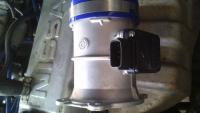
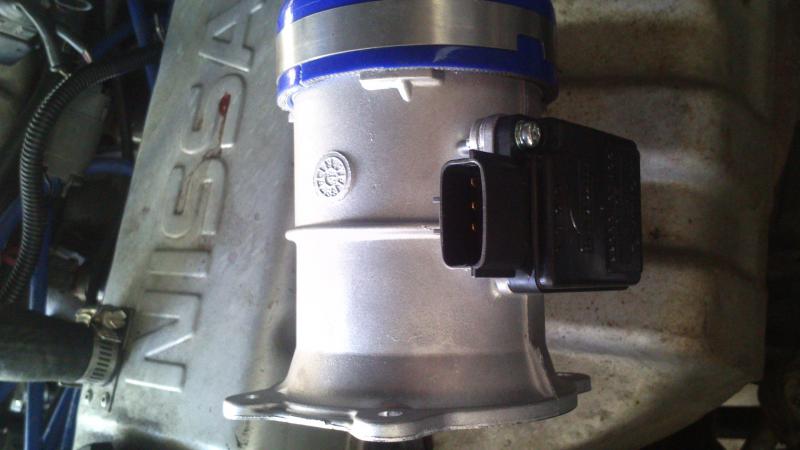
  2. Hi Guys, You are my last hope after hours searching on the web... I am after the pin-outs of the MAF sensor on a TB42E patrol. Part number is AFH70-05. It is a 4 pin MAF, Labled A, B, C and D. Pin slot A is empty. I need to know what each wire is for B, C and D. Even the wire colours for each pin would be enough to get me going as I have the ECU schematic. Or if someone owns one of these even a PIC will suffice. Attached is a pic of the MAF, it is Genuine Nissan Maf for TB42E 4.2 petrol.
Account

Navigation

Search

Search

Configure browser push notifications

Chrome (Android)
  1. Tap the lock icon next to the address bar.
  2. Tap Permissions → Notifications.
  3. Adjust your preference.
Chrome (Desktop)
  1. Click the padlock icon in the address bar.
  2. Select Site settings.
  3. Find Notifications and adjust your preference.