Skip to content
View in the app

A better way to browse. Learn more.

myPatrol4x4

A full-screen app on your home screen with push notifications, badges and more.

To install this app on iOS and iPadOS
  1. Tap the Share icon in Safari
  2. Scroll the menu and tap Add to Home Screen.
  3. Tap Add in the top-right corner.
To install this app on Android
  1. Tap the 3-dot menu (⋮) in the top-right corner of the browser.
  2. Tap Add to Home screen or Install app.
  3. Confirm by tapping Install.

irishbison

Members
  • Joined

  • Last visited

Everything posted by irishbison

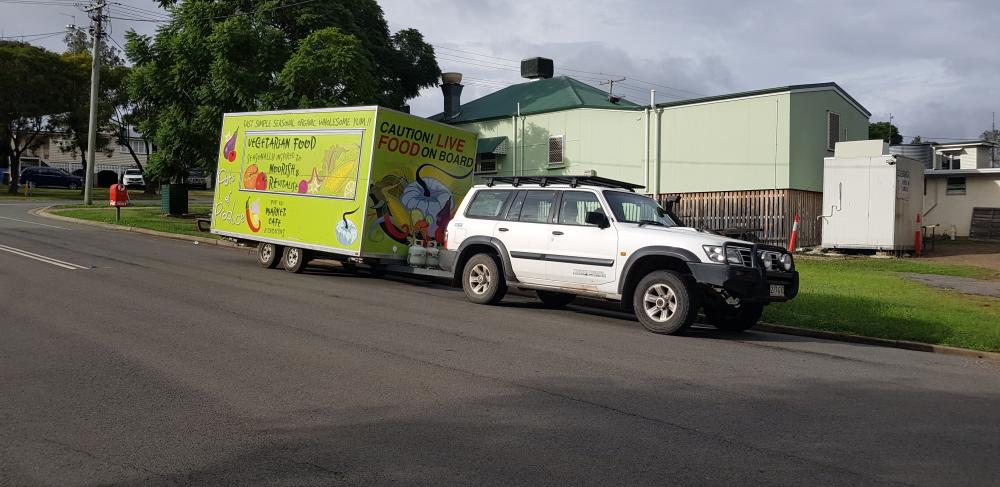
  1. N.Irishman living in Boonah, Queensland. I bought a stock 2003 3.0L Patrol with less than 200k on the clock 18 months ago and just successfully installed a catch can today after doing lots of reading and learning about NADS, (many thanks to Dronus & other contributors on here). I have suffered limp mode a few times whilst towing a fairly hefty mobile kitchen and also not realised the need to switch OD off when climbing hills under normal load but will work my though the other NADS upgrades, as well as learn the subtleties of driving an auto gear box!
Account

Navigation

Search

Search

Configure browser push notifications

Chrome (Android)
  1. Tap the lock icon next to the address bar.
  2. Tap Permissions → Notifications.
  3. Adjust your preference.
Chrome (Desktop)
  1. Click the padlock icon in the address bar.
  2. Select Site settings.
  3. Find Notifications and adjust your preference.
