Skip to content
View in the app

A better way to browse. Learn more.

myPatrol4x4

A full-screen app on your home screen with push notifications, badges and more.

To install this app on iOS and iPadOS
  1. Tap the Share icon in Safari
  2. Scroll the menu and tap Add to Home Screen.
  3. Tap Add in the top-right corner.
To install this app on Android
  1. Tap the 3-dot menu (⋮) in the top-right corner of the browser.
  2. Tap Add to Home screen or Install app.
  3. Confirm by tapping Install.

mikew1912

Members
  • Joined

  • Last visited

Everything posted by mikew1912

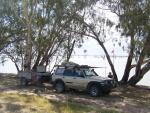
  1. G'Day every one, I'm Mick from the central coast. Had my 01 3Ltr GU since 2003, and its been used and abused. It's done a heap of hardcore 4wding in the watagens, some awsome off road trips to different parts of Oz fully loaded and with a camper in tow. The poor old girl still goes pretty hard, but she has blown the 3Ltr once, had the body rebuilt due to an altercation with a tree, and stripped down a number of times after being drowned in mud. I'ts now time to start preserving the car, and you guys seem to have the know how. I look forward to starting work on after we get back from the Territory.

Account

Navigation

Search

Search

Configure browser push notifications

Chrome (Android)
  1. Tap the lock icon next to the address bar.
  2. Tap Permissions → Notifications.
  3. Adjust your preference.
Chrome (Desktop)
  1. Click the padlock icon in the address bar.
  2. Select Site settings.
  3. Find Notifications and adjust your preference.