Skip to content
View in the app

A better way to browse. Learn more.

myPatrol4x4

A full-screen app on your home screen with push notifications, badges and more.

To install this app on iOS and iPadOS
  1. Tap the Share icon in Safari
  2. Scroll the menu and tap Add to Home Screen.
  3. Tap Add in the top-right corner.
To install this app on Android
  1. Tap the 3-dot menu (⋮) in the top-right corner of the browser.
  2. Tap Add to Home screen or Install app.
  3. Confirm by tapping Install.

Hilly Bo

Members
  • Joined

  • Last visited

  1.    Evil! reacted to a post in a topic: New NZ member
  2.    Hilly Bo reacted to a post in a topic: New NZ member
  3.    Hilly Bo reacted to a post in a topic: New NZ member
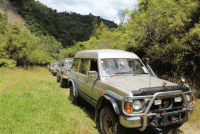
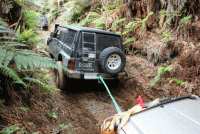
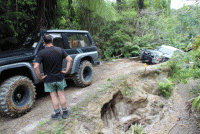
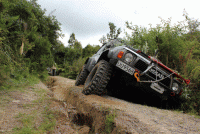
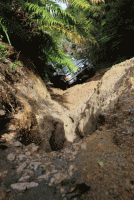
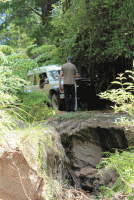
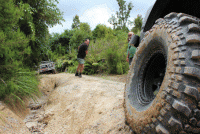
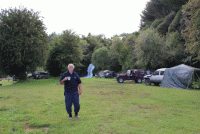
  4. Hi there, My name is Bill Hohepa and I live in Auckland. I know that's no where near Australia but a Nissan is a Nissan. Some say we should just become another Aussie state. I saw this website and thought I could,(a) find some helpful info, and ( perhaps offer some. A bit about me, I do a variety of things including produce TV shows about 4x4 treks around NZ. I also organise 2 week 4x4 treks on a follow the leader basis usually during January and we film these for our show. Just ordinary people in the ordinary 4WDs facing the challenges that 4WDing puts up. Most of the trucks that come with us are Nissan Patrols and Nissan Safaris as they are the trucks that are strong enough to cope with the often heavy terrain we go over. Here are some pics of our last trek:
Account

Navigation

Search

Search

Configure browser push notifications

Chrome (Android)
  1. Tap the lock icon next to the address bar.
  2. Tap Permissions → Notifications.
  3. Adjust your preference.
Chrome (Desktop)
  1. Click the padlock icon in the address bar.
  2. Select Site settings.
  3. Find Notifications and adjust your preference.