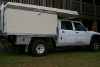
June 22, 201214 yr comment_5064 from new my 2010 GUDX was a pain with the cruise control! It would work great or would set but not work. I tried all things possible (other than applying the brakes) swithch off cruise, swith off engine re start engine, re set cruise all to no avail seemed to have a mind of it's own. Then I saw on a different thread THE ANSWER = *YOU MUST APPLY THE BRAKES TO ALLOW CRUISE TO OPERATE*, no more problems every time the cruise won't work I touch the brakes and like magic the cruise works, seems a little man in the engine ECU is verry worried that the brakes might not work, so you can't set cruise untill you have tested them, Regards Joe seems he is then happy (dosent prove you can stop though!) 2010 GUDX custom Dual cab chassis 4.8 brakes 3.6T GVM, front locker, 33"mud tyres Report
June 22, 201214 yr comment_5069 No it is not e little man.... . This is actually a safety feature at it has been a part of a cruise control systems for many years. It is called "brake test". The reason for it is obvious and it has nothing to do with brakes actually working but everything to do with cruise control disconnecting when a driver touches/applies brake pedal as it should. So this check confirms for the system that brake pedal switch and back up signal from brake lights do operate. Cheers Edited June 22, 201214 yr by Rumcajs Report


Create an account or sign in to comment