Fatboyz inc
Members
-
Joined
-
Last visited
Everything posted by Fatboyz inc
-
I think a lot of the members will end up comming across with the next major virus scare. The good thing is with that we will get a wealth of knowlege that comes with such numbers to
-
Fatboyz inc replied to GQ Beast's topic in Nissan Patrol GQ/Y60 & Ford Maverick (GQ Patrol, 1988–1997)We always do one side at a time when we do ours and only jack stand under the chassis, undo the draglink on one side so you can remove the radius arms much easier. When it's time to put that side back in you can then use the tyre on the ground to roll the diff either way to line up the bolt holes on your diff, you may also need to use the jack to twist the diff depending on how bad your old bushes are? I hope this helps
-
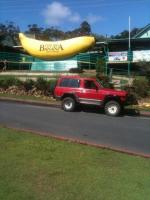
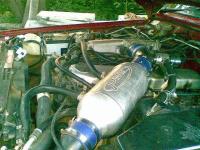
Hi guys and gals, I am Troll98 on the Patrol4x4.com but I am in the process of selling my second GU 1998 model to go back to 1988 GQ, it's a TB42 but on the up side it is a Turbo water2air intercooled SWB I have just re-wired all of the engine bay (what a mess it was) but now neat and tidy. I have also upgraded the headlights to HID's it has 4 HID spotlights and 2 LED fog/day running lights and a LED lightbar across the roof. Toughdog 3" suspension and Autronic computer, Icom440 pro UHF. I have pulled out the interior and Dynamatt throughout the entire car with E.R.P.S. underneath the Dynamatt (Electronic Rust Prevention System) and a Tigerz11 12000lb remote controlled winch on an ARB bullbar and side rails. I look foward to this new forum and catching up with old mates from the other one to, thanks for reading When we picked it up on the way home. this will all be changed very soon