Skip to content
View in the app

A better way to browse. Learn more.

myPatrol4x4

A full-screen app on your home screen with push notifications, badges and more.

To install this app on iOS and iPadOS
  1. Tap the Share icon in Safari
  2. Scroll the menu and tap Add to Home Screen.
  3. Tap Add in the top-right corner.
To install this app on Android
  1. Tap the 3-dot menu (⋮) in the top-right corner of the browser.
  2. Tap Add to Home screen or Install app.
  3. Confirm by tapping Install.

Murph

Members
  • Joined

  • Last visited

Everything posted by Murph

  1. ok, thanks, I guess I need to make sure the glue is heat resistent. This must be the right one
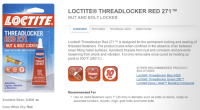
  2. ok, thanks, I guess I need to make sure the glue is heat resistent.
  3. Hi dronus Could you explain the glueing part?
  4. Murph replied to Ray!'s topic in General Discussion
    if you like it
  5. Murph replied to Ray!'s topic in General Discussion
    Happy with my Mac, still running XP on one of my work PC. Vista was a shocker and made me change.
  6. http://www.carsales.com.au/private/details/nissan-patrol-1993-12755416
  7. are bloody w@nkers! Sorry but needed a cool down!
  8. I might get a 4.2 Diesel from a GQ with less than 200K. How much could I get?
  9. My budget is around 30K, so I will the best Will keep that wagon for a loooooooooooong time btw
  10. Am I getting double warning points on a long weekend here?
  11. Central Coast, not yet a Patrol owner but looking .....
Account

Navigation

Search

Search

Configure browser push notifications

Chrome (Android)
  1. Tap the lock icon next to the address bar.
  2. Tap Permissions → Notifications.
  3. Adjust your preference.
Chrome (Desktop)
  1. Click the padlock icon in the address bar.
  2. Select Site settings.
  3. Find Notifications and adjust your preference.