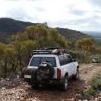
August 5, 201213 yr comment_6208 I'm guessing there would be a point in sharing those pics..... Moralana scenic drive the Western edge of Wilpena pound at Flinders Ranges and at Merna Mora Wowee track. Cheers Report
August 8, 201213 yr Author comment_6243 How do i insert a picy :unsure: Select "more reply options" than at the bottom of the editor window you'll see paper clip icon with "path to file/pic" tab and buttons "Browse" and "Clear" click on browse to select a pic on your computer than click "Attach This File" button underneath of the "path to file/pic" tab. alternatively upload you pics to some photo/pics website like Photobucket and use "picture link" in the editor menu. Cheers Edited August 8, 201213 yr by Rumcajs Report
August 11, 201213 yr comment_6274 Highest point in the high country you can get to in the middle of winter Just after black Saturday Report
August 13, 201213 yr comment_6288 Bloomfield track with Fathom, Cypress creek & light house ship Edited August 13, 201213 yr by Gissmo Report
September 10, 201213 yr Author comment_6472 Bunkers Reserve, Flinders Ranges, SA. Edited September 10, 201213 yr by Rumcajs Report
October 2, 201213 yr Author comment_6629 2012 October "Long Weekend" at Canunda NP, Robe and Beachport. Cheers Report
June 19, 201312 yr Author comment_7361 From the last two weeks trip to Simo...... At Breakaways, Coober Pedy French Line, Simpson Desert At "Big Red" Report
May 19, 201411 yr comment_7898 A couple from our recent 12 day treckThis one was just north of echuca, on the Edwards river, just inside the nsw boarder at Easter timeThis one was taken at Bright mid week between echuca and dargo, it's from the Apex look out, 4wd access only and was a good gentle drive.And finally the vic high country for Anzac weekend. This is Blue Rag, but it was a wonderful weekend..Kallen WestbrookOwner ofWesty's Accessories Report
May 20, 201411 yr Author comment_7900 Awesome stuff, gotta pencil in the visit to Victorian high country next. Cheers Report


Create an account or sign in to comment